What is Google Keyword Planner?
Google Keyword Planner is a free keyword research tool. It helps you to research keywords for your Search Campaign. You can use it to discover new keywords, learn the cost of the keyword and see their estimated search volumes and forecast.
Why Do We Need to Use Google Keyword Planner?
- Discover new keywords: Get suggestions for keywords related to your products, services, or website.
- See monthly searches: See estimates on the number of searches a keyword gets each month.
- To discover the cost to target the keywords.
- Create new campaigns: Use your keyword plan to create new campaigns centered on in-depth keyword research.
How To Access to Google Keyword Planner?
Register a Google Ad Account:
- You first need a Google Ads account to access Google Keyword Planner
- Go to https://ads.google.com/home/
- Click “Start Now” and sign in with your Google account
- Click on the blue link that says “Switch to Expert Mode.” This way, you can create an account without creating an ad campaign.
- On the next screen, click the small “Create an account without a campaign” link.
- Then, select your billing country, time zone, and currency. And click “Submit.”
- Once you reach the confirmation page, click “Explore your account.”
- Your Google Ads account setup is now complete.
If you already have Google Ad Account:
- On the top menu bar, click on “Tools and Settings”, under Planning column, select Keyword Planner

How to Use Google Keyword Planner
There are 2 options available:
- Discover New Keywords: To find keywords ideas
- Get Search Volume and Forecasts: To see search volume and metrics
Option 1: Discover New Keywords
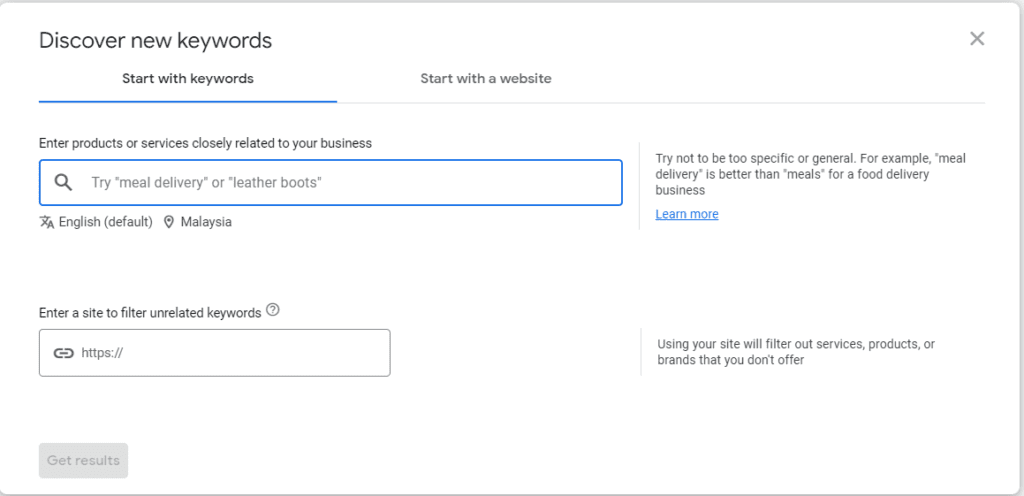
You will see 2 tabs: Start with keywords or start with a website
- Start with keywords: Enter 10 keywords that are related to your business
Use this method if you have some keywords in mind and you need more.
Say you want to search “digital marketing”, click Get Results.
Tip: You can enter your website url to help Google to remove products and services that you don’t offer.

The results show 663 keyword ideas related to “digital marketing”. Information such as average monthly search, competition and bidding price are shown as well.

2. Start with a website: Enter a website url and see keywords suggestions based on that page
You can discover keyword suggestions by inputting the URL of a website or a specific page. Google will then search for keywords associated with the content of that specific page or the entire site.
Option 2: Get Search Volume and Forecasts
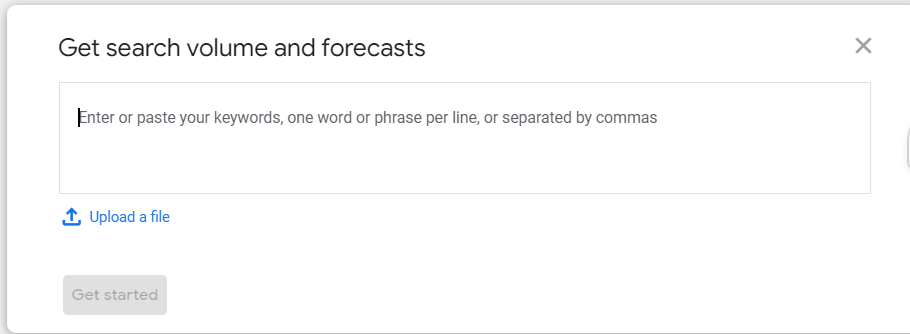
If you already have a list of keyword of your business, use this option. It allows you to check how often people search for specific keywords each month on average and provides other metrics for several keywords all at once.
- Enter the keyword in the empty field, one keyword per line or add them separated by commas
- Click “Get Started”

3. You will then see the same keywords results page as you did when you used “Discover new keywords.” Except you’ll only get information about the keywords you entered. No related ideas.

4. At the left menu bar, click forecast, you’ll see Google’s prediction of the clicks, conversions, and impressions you’ll get from the keywords, budgets, bid strategy you entered.
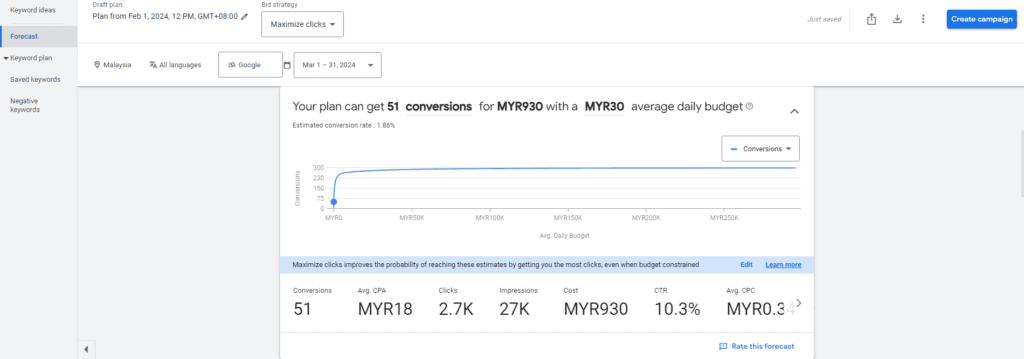
This is a useful report if you’re running ads.
Keyword Planner will forecast each keyword’s clicks, impressions, cost, click-through rate, and average cost per click (CPC) and get you new keyword ideas.
Contact Us Now to get FREE Google Ads Campaign Review or Consultation.